
Starting the Game

Online Manual
WM-01
©SEGA
Nintendo Switch is a trademark of Nintendo.
“PlayStation”, “
 ”, “
”, “
 ”, “PSN” and “DualSense” are registered trademarks or trademarks of Sony Interactive Entertainment Inc.
Library programs ©Sony Interactive Entertainment Inc.
Microsoft, Xbox Series X|S, Kinect, Xbox Game Pass, and the Xbox logos are registered trademarks or trademarks of Microsoft Corporation in the United States and other countries.
Font Design by Fontworks Inc.
The font used on this product is provided by Hakusyu Fonts co.,Ltd. / J‑Fonts.com
The typefaces included herein are solely developed by DynaComware.
Special Thanks: SHOWASHOTAI Co.,Ltd
Font Design by YOONDESIGN GROUP INC.
QR Code is a registered trademark of DENSO WAVE INCORPORATED.
 |
|---|
Browser Compatibility
The correct functioning of this website has been confirmed using the Google Chrome and Safari browsers.
✼ It is recommended that you use the latest version of each browser. Older versions may not display the content correctly.
✼ Please ensure that Javascript is enabled in your browser’s settings.
Unauthorized copying, reproduction, rental, pay for play, public performance or transmission of this game is a violation of applicable laws.
✼ Screenshots displayed in this manual are from the Nintendo Switch™ 2 version.。
1995, Kamurocho…
An up-and-coming yakuza takes the fall for the murder of a crime boss to protect his sworn brother and his childhood friend. This man is none other than Kazuma Kiryu, the legendary Dragon of Dojima.
After a decade, Kiryu is released from prison to a world he no longer recognizes. His own organization has turned against him, and various conspiracies threaten to tear the streets of Kamurocho apart.
When 10 billion yen vanishes from the Tojo Clan vault, a chance encounter brings Kiryu together with Haruka, a young girl who is the key to this mystery.
Together, they must survive to find the answers they both seek.
The Dragon of Dojima
| Kazuma Kiryu |
Portrayed by Takaya Kuroda |
|---|

The former lieutenant advisor of the Dojima Family. His nickname, the Dragon of Dojima, comes from the dragon tattoo on his back. To protect his childhood friend and the woman he loves, he shoulders the crime of having murdered his patriarch. After 10 years in the slammer, he returns to a world he no longer recognizes.
The Girl Worth 10 Billion Yen
| Haruka |
Portrayed by Rie Kugimiya |
|---|
A young, mysterious girl who is linked to the Tojo Clan’s missing fortune. Her path crosses with Kiryu’s by chance, but the two soon find they share a deeper connection. Eventually, Kiryu teams up with her as the two search for her mother Mizuki.
A Changed Man
| Akira Nishikiyama |
Portrayed by Kazuhiro Nakaya |
|---|
A former member of the Dojima Family. He and Kiryu were raised in Sunflower Orphanage by Shintaro Kazama, a crime boss known for his noble demeanor. Following in Kazama’s footsteps, Nishikiyama and Kiryu joined the Dojima Family as sworn brothers. However, their bond is pushed to the test when they become embroiled in an incident that breaks the yakuza code. After Kiryu serves ten years in prison, he finds that Nishikiyama is no longer the same person he once knew.
A Childhood Friend
| Yumi Sawamura |
Portrayed by Maaya Sakamoto |
|---|
Raised in the same orphanage as Kiryu and Nishikiyama, the three grew up treasuring each other like family. After Kiryu and Nishikiyama joined Kazama in the criminal underworld, Yumi followed behind to become a hostess at an upscale bar called Serena. However, their peaceful lives are shattered by the tragic murder of Sohei Dojima.
Proprietress of Serena
| Reina |
Portrayed by Atsuko Tanaka |
|---|
The proprietress of Serena, a high-class club on Tenkaichi Street. She has known Kiryu and Nishikiyama since they were just rank-and-file members of the Dojima Family a decade ago, and has built a strong, trusting relationship with Yumi, who worked as a hostess at her bar. She allows Kiryu to use Serena as a base of operations as he works to discover the mysteries surrounding the Tojo Clan’s missing money.
The Model Yakuza
| Shintaro Kazama |
Portrayed by Tetsuya Watari |
|---|
The Patriarch of the Kazama Family and the founder of the Sunflower Orphanage, where he raised Kiryu, Nishikiyama, and Yumi like a father. Kiryu and Nishikiyama were inspired to follow in his footsteps and swear oaths to the yakuza. His unwavering loyalty, integrity, and temperate nature have earned him the trust of those around him.
A Kiryu Loyalist
| Shinji Tanaka |
Portrayed by Tomokazu Sugita |
|---|
A former member of the Dojima Family. Shinji enters the yakuza out of his admiration for Kiryu, the “Dragon of Dojima.” When Kiryu returns to Kamurocho after his ten year sentence, he discovers a new side of Shinji and a new rank—Lieutenant Advisor of the newly formed Nishikiyama Family.
The Mad Dog of Shimano
| Goro Majima |
Portrayed by Hidenari Ugaki |
|---|
Captain of the Shimano Family and patriarch of the Majima Family. Revered and feared for his fighting ability, other yakuza steer clear of this loose cannon. Even his own clan members occasionally find themselves the target of his unpredictable outbursts. He becomes strangely obsessed with Kiryu, stalking him incessantly around the city.
Tojo Clan Patriarch with a Fiery Temper
| Futoshi Shimano |
Portrayed by Naomi Kusumi |
|---|
Patriarch of the Shimano Family. Just like his sworn brother, Sohei Dojima, he is belligerent and violent. His belief that might makes right led him to become a powerful fighter and rise through the ranks of the yakuza. He has an immense grudge against Kiryu, the person arrested for Dojima’s murder.
Investigator in Charge of the Sohei Dojima Murder Case
| Makoto Date |
Portrayed by Kazuhiro Yamaji |
|---|
A former member of the Tokyo Metropolitan Police Department’s Criminal Investigations Division. After looking into the Sohei Dojima murder case, he intuitively realized Kiryu was not the true killer. However, his insistence on uncovering the truth led to his demotion to Division Four, Organized Crime.
Information Broker Who Operates in the Shadows of Kamurocho
| The Florist of Sai |
Portrayed by Yoshiaki Fujiwara |
|---|
A shadowy information broker who runs Purgatory, a high-class pleasure palace deep beneath West Park. With cameras set up throughout the city and a network of homeless spies, he knows everything happening in Kamurocho.
Basic Controls
Nintendo Switch™ 2
In the menu screen, you can move between items with the directional buttons or  . Press
  to confirm your selection and press
  to cancel it.

Controls During Adventure
| Button | Movement |
|---|---|
|
|
Walk / Run |
|
+
|
Dash |
+  / / 
|
Walk |

|
Move Camera |
|
|
Talk / Listen / Examine / Look / Enter / Exit |

|
Reset Camera |

|
Follow Companion |

|
Toggle First-Person View On/Off |

|
Open Pause Menu |

|
View the Map |

Controls During Battle
| Button | Movement |
|---|---|

|
Change to the Brawler Style |

|
Change to the Beast Style |

|
Change to the Dragon of Dojima Style |

|
Change to the Rush Style |
|
|
Walk / Run |
|
|
Move Camera |
|
|
Grab / Pick Up Weapon (Special Attack in Rush Style) |
|
|
Evade |

|
Finishing Blow / Follow-Up Attack / Heat Action |

|
Rush Combo |
|
|
Guard |
|
|
Reset Camera |
|
|
Take Stance |
|
|
Style Actions |
|
|
Open Pause Menu |
|
|
View the Map |
PlayStation®5
In the menu screen, you can move between items with the directional buttons or the left stick. Press  to confirm your selection and press
  to cancel it.

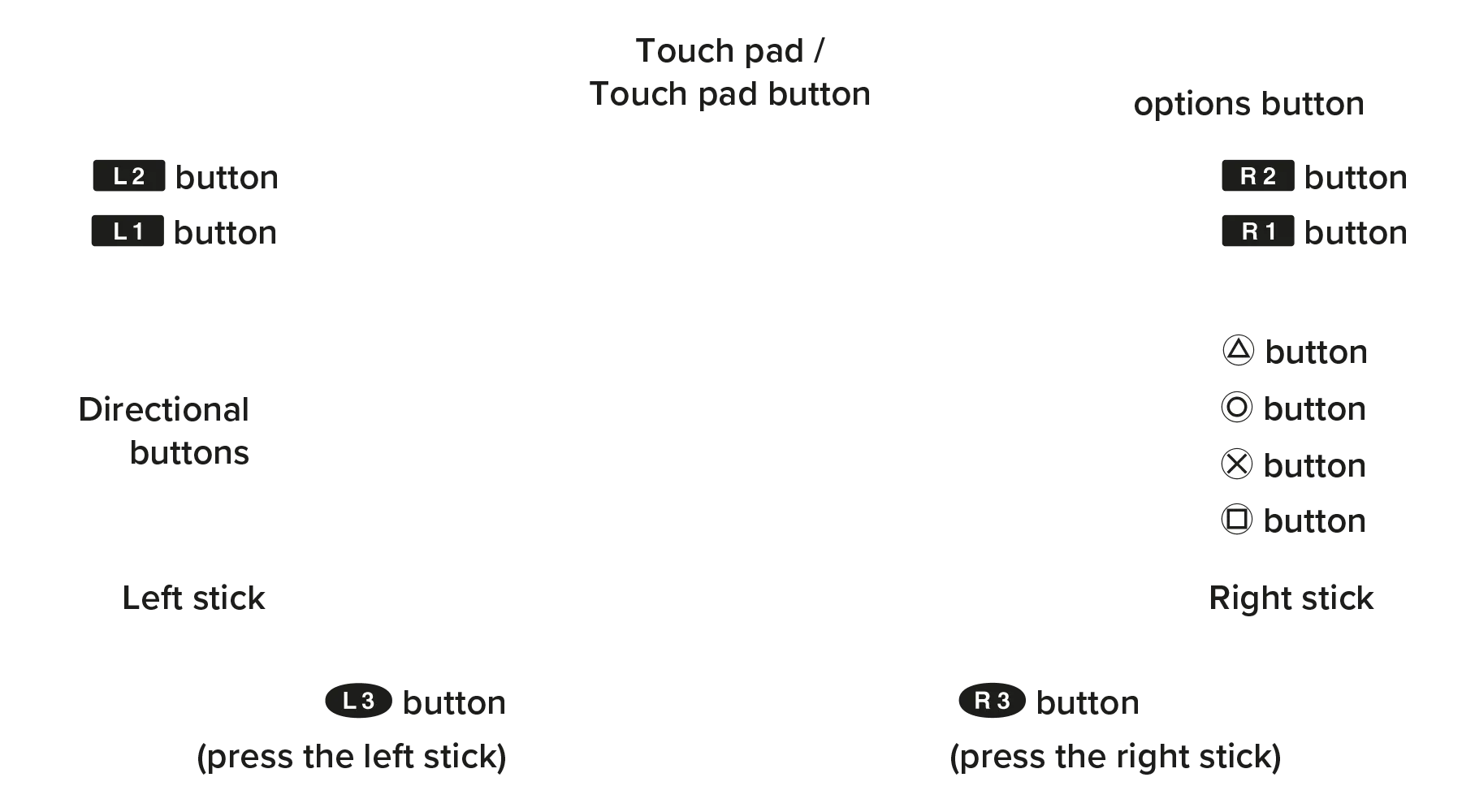
Controls During Adventure
| Button | Movement |
|---|---|
| Left stick | Walk / Run |
Left stick + 
|
Dash |
Left stick +  / / 
|
Walk |
| Right stick | Move Camera |
|
|
Talk / Listen / Examine / Look / Enter / Exit |

|
Reset Camera |

|
Follow Companion |

|
Toggle First-Person View On/Off |
| Options button | Open Pause Menu |
| Touch pad button | View the Map |
Controls During Battle
| Button | Movement |
|---|---|

|
Change to the Brawler Style |

|
Change to the Beast Style |

|
Change to the Dragon of Dojima Style |

|
Change to the Rush Style |
| Left stick | Walk / Run |
| Right stick | Move Camera |

|
Grab / Pick Up Weapon (Special Attack in Rush Style) |
|
|
Evade |

|
Finishing Blow / Follow-Up Attack / Heat Action |

|
Rush Combo |

|
Guard |

|
Reset Camera |

|
Take Stance |

|
Style Actions |
| Options button | Open Pause Menu |
| Touch pad button | View the Map |
Xbox Series X|S
In the menu screen, you can move between items with the D-pad or left stick. Press A to confirm your selection and press B to cancel it.


Controls During Adventure
| Button | Movement |
|---|---|
| Left stick | Walk / Run |
| Left stick + A | Dash |
| Left stick + left bumper / right bumper | Walk |
| Right stick | Move Camera |
| A | Talk / Listen / Examine / Look / Enter / Exit |
| Left trigger | Reset Camera |
| Right trigger | Follow Companion |
| Right stick button | Toggle First-Person View On/Off |
| Menu button | Open Pause Menu |
| View button | View the Map |
Controls During Battle
| Button | Movement |
|---|---|
| D-pad ↑ | Change to the Brawler Style |
| D-pad → | Change to the Beast Style |
| D-pad ↓ | Change to the Dragon of Dojima Style |
| D-pad ← | Change to the Rush Style |
| Left stick | Walk / Run |
| Right stick | Move Camera |
| B | Grab / Pick Up Weapon (Special Attack in Rush Style) |
| A | Evade |
| Y | Finishing Blow / Follow-Up Attack / Heat Action |
| X | Rush Combo |
| Left bumper | Guard |
| Left trigger | Reset Camera |
| Right bumper | Take Stance |
| Right trigger | Style Actions |
| Menu button | Open Pause Menu |
| View button | View the Map |
Steam
In the menu screen, you can move between items with  /
/  . Press
  to confirm your selection and press
  to cancel it.

Controls During Adventure
| Button | Movement |
|---|---|
|
|
Walk / Run |
|
+
|
Dash |
+  / / 
|
Walk |

|
Move Camera |
|
|
Talk / Listen / Examine / Look / Enter / Exit |

|
Reset Camera |

|
Follow Companion |

|
Toggle First-Person View On/Off |

|
Open Pause Menu |

|
View the Map |
Controls During Battle
| Button | Movement |
|---|---|
|
↑
|
Change to the Brawler Style |
|
→
|
Change to the Beast Style |
|
↓
|
Change to the Dragon of Dojima Style |
|
←
|
Change to the Rush Style |
|
|
Walk / Run |
|
|
Move Camera |
|
|
Grab / Pick Up Weapon (Special Attack in Rush Style) |
|
|
Evade |

|
Finishing Blow / Follow-Up Attack / Heat Action |

|
Rush Combo |
|
|
Guard |
|
|
Reset Camera |
|
|
Take Stance |
|
|
Style Actions |
|
|
Open Pause Menu |
|
|
View the Map |
Main Menu
Following the title screen, the Main Menu will be displayed.
| New Game | Starts the story from the very beginning and allows you to set your difficulty level. |
|---|---|
| Continue | Resumes progress by loading a save file. |
| Replay | Shows previously seen cutscenes from the Main Story. |
| Settings | Allows you to adjust the game’s settings. For more details, check the Pause Menu. |
Basic Gameplay
Events
Key moments of the main story will be narrated in the form of cinematics.
• View Missions
• Watch Cutscenes to Advance the Story

Adventure
Your journey will take you across Kamurocho as you dig up information and unravel the story’s mysteries.
• Traveling to your next destination
• Gathering Information
• Taking on Substories
• Enjoying Minigames
Battle
A battle will begin when you encounter an enemy or bump into trouble in the street.
• Enemy and Boss Encounters
This is a work of fiction. Any resemblance to actual persons, organizations, or events is purely coincidental. This game is set in 2005. Certain laws and depictions of characters and events that occur are based on the time of the story’s setting.
Game Over

When you run out of Health or fail a story battle, it’s Game Over. By selecting Try Again, you’ll be able to reattempt the battle. To start from where you last saved, select Load & Try Again. Alternatively, select Exit Game to return to the title screen. When playing on Normal difficulty, you will receive the option to lower the difficulty to Easy if you get two Game Overs on the same fight.
Adventure
User Interface

 Status Icons
Shows various statuses, including when Kiryu is drunk, has a new message on his cell phone, and more.
 Minimap
Displays your surroundings. You can choose to disable it or show it via the Pause Menu.
 Action Icon
Displays possible actions, such as Talk, Examine, Enter, etc.
 Location Names
The name of your current location will appear on-screen briefly.
Map Icons
 |
|
|
|
|
|
|---|---|---|---|---|---|
| You | Enemy | Destination | Events | Taxi Stands |
Save Points |
Colored Points on the Map
| Blue ■: Key Story Location | Yellow ■: Store |
|---|---|
| Orange ■: Eatery | Purple ■: Entertainment |
Movement
Move
You can walk or dash to your destination, but you'll tire out if you dash for too long. Make sure to stop every now and then to catch your breath!
View Map
Opens the map. You'll be able to see your current location and what facilities are nearby.
Action Icons
Talk/Listen
When you see a character with a speech bubble over their head, you can speak or listen to them. Simply approach them and press the button when the action icon appears.
Enter/Exit
When you’re within range of an establishment, you can enter or exit it when an action icon appears.
Look/Check/Pick Up
In Kamurocho, you may encounter some places that you can inspect in more detail. Press the button when the action icon appears. Doing this from time to time might yield you some unexpected loot.
Shopping
You can shop at stores like Kotobuki Drugs and Don Quijote. Speak to the staff to see what's in stock. Move the cursor to the item you wish to buy, select the quantity, and complete your purchase. Items you buy are sent to your inventory.
Inventory
Shows what items you currently have.
Item Name/Price/Quantity/Currently Held
Indicates the name off the item, its cost, the number you want to purchase, and the amount you currently hold.
Money
Displays how much money you currently have.
Total Value/Quantity
Allows you to confirm the cost and amount of items you will buy.
Eateries
The streets of Kamurocho are full of restaurants to enjoy. Eating food or getting a drink heals you back up, so it’s always a good idea to stop by a restaurant after getting roughed up in battle. Once Kiryu is back to full Health, he will become full and cannot eat any more. Items that you’ve already consumed will have a check mark next to them.
Health Bar
The amount of health Kiryu will recover by consuming food or drinks will be displayed in yellow on his health bar.
Dish/Price
Indicates the menu item and how much it costs.
Money
Displays how much money you currently have.
Total Value/Number of Orders
Shows the full price of your meal and how much you are ordering.
Useful Locations
Besides shops and eateries, there are a number of helpful places to visit throughout your adventure.
Bases
Kiryu can use Selena and certain other places as a base. At these locations, you can access the following menu options.
Features at Bases
| • Save | Saves your current progress. |
| • Item Box | Stores some of your items. At a base or a pay phone, you can freely access and swap the items in your Item Box. |
* In Premium Adventure, you gain the ability to Pass Time and Create Clear Data.
Taxis
For a certain fee, you can hop in a taxi at the following five locations: North Hotel District, East Park Blvd., Pink St. Entrance, Tenkaichi St. Entrance, and W Shichifuku St. You will be dropped off at a taxi stand of your choice.
Pay Phones
Save your progress and access the Item Box at the pay phones around town.
Other Places of Interest
To truly live it up in Kamurocho, check out some of these locations! You can also explore another side to the district at some of its shady underground spots.
Ebisu Pawn
Sell off unwanted items for a quick buck at the pawn shop in an alley off of Nakamichi St.
Coin Lockers
Search the coin lockers on Taihei Blvd to get your hands on rare items. To open them up, you’ll need to find their keys, which are scattered throughout the streets and buildings of Kamurocho.
Entertainment
At a number of locations in Kamurocho, you can unwind with some minigames and enjoy the city’s nightlife. For more details about the locations and games available, check out the Minigames section of the manual.
Substories
While Kiryu searches for Haruka’s mother and the missing Tojo fortune, he’ll find himself lending the diverse people of Kamurocho a hand. These side quests may be optional, but completing them will net you money, EXP, and items.
Starting a Substory
By speaking to certain people or visiting certain locations, you will initiate a new Substory.
Completing Tasks
Once you receive a request, it’s your job to get it done. If you ever forget what you need to do, you can confirm the objective via the Substory section of the Pause Menu.
Clearing Substories
You will receive rewards after finishing a Substory. A checkmark will appear on completed Substories listed in the Pause Menu.
Battle
User Interface

Battle Style
Indicates which style is active.
Weapon Information
Displays the name and durability of the weapon you are currently wielding.
Kiwami Icon
Appears when you meet the conditions to active a Heat Action.
Minimap
Displays your surroundings.
 Enemy Info
Shows the names and Health of your enemies
 EXP Gauge
 Health Bar
 Heat Gauge
Changing Battle Styles
 Alternate between battle styles with the directional buttons during combat. Each battle might require a different approach, so try to mix things up!
Additionally, press the same button as your active style to use your equipped weapon.
Battle Styles
Kiryu can use four powerful fighting styles to deal with his opponents.
Dragon of Dojima Style
 Kiryu’s legendary fighting style. However, his time locked up in jail has made him rusty. To regain his luster, he must take on trials against masters of martial arts.
Rush Style
A battle style that specializes in speed, characterized by fast-paced punches and evasive footwork. Opponents can be stunned by the continuous flurry of attacks, opening up ways to finish off the opponent.
Brawler Style
An all-rounder battle style that allows Kiryu to punch, grab enemies and items, defend himself, and dodge. Additionally, with his Resolute Counter, he can immediately counter-attack after taking damage.
Beast Style
A battle style that specializes in power, capable of blocking attacks from every angle and unleashing wide attacks to crush groups of enemies. When near objects on the street, Kiryu will automatically pick them up and weave them into his combos.
Different button combinations allow Kiryu to unleash different moves. While this manual focuses primarily on the basics, you can learn even more from the Abilities section of the Pause Menu.
Movement
Walk / Run
You’ll run by default. To walk, lightly tilt the stick.
Take Stance
Assumes a fighting stance in the direction you're facing, allowing you to focus your attacks on a specific enemy. You can also move around while keeping the enemy in view.
Defense
Guard
Allows you take a defensive stance that protects yourself from attacks. Limited to blows that come from the front. Attacks from behind, bullets, and knives cannot be blocked.
Evade
Performs evasive maneuvers such as Quickstep. Press the button while tilting the stick to dodge in that direction. This is effective against unblockable gun and blade attacks.
Get Up / Shake Free
When knocked down in battle, press this button to get back to your feet faster. You can also break free from an enemy's grab by tapping the button repeatedly.
Attacks
Rush Combo
This attack unleashes a rapid barrage of blows on your opponent. Although each hit isn’t powerful and doesn’t have much range, its speed can be especially useful.

Finishing Blow
You can follow up a combo with a devastating attack by hitting the button when prompted.
Follow-up Attack
Press the button near a downed enemy to deal extra damage.
Special Actions: Varied Buttons
While battling, you may be given a prompt to perform a special action. Quickly press or repeatedly push the buttons shown on screen to execute it!
Style Actions
Kiryu can taunt and perform other actions unique to each style. Gaining the White Tiger Spirit ability allows you to raise your Heat Gauge when taunting.
Grab Techniques
Grab Enemy
Approach an enemy and press the button to grapple them. Press the Attack button while holding onto an enemy to execute a grab attack. You can also drag them around.
* You cannot grab an enemy while using the Rush style.
Grab Attack
While holding an enemy, you can chain attacks together, knock them back, or slam them into objects.
Using Weapons
Pick Up Weapon
Arrows will appear above weapons and nearby objects that can be used as weapons. These can be used a limited number of times, after which they will break. You can also damage enemies at a distance by throwing them.
* You cannot pick up objects while using the Rush style or attacking with your equipped weapon.
Heat Actions
Kiryu will begin glowing with a red aura when the Heat Gauge reaches a certain level. Fulfilling certain conditions while in this state will allow you to use Heat Actions.
Building and Using the Heat Gauge
Attacking enemies or using items will fill your Heat Gauge, while receiving damage or leaving your enemies alone for too long will cause it to drop. Heat Actions will consume the Heat you build up.
Climax Heat
By upgrading your abilities and entering Climax Heat Mode, Kiryu can use the Essence of Kiwami in certain situations.
When You Can Use Heat Actions
| ● While Grabbing Enemies | Drag an enemy to the wall of a building or such areas then unleash a powerful Heat Action. |
| ● With a Weapon | Kiryu can perform Heat Actions unique to each weapon. |
| ● After a Follow-Up Attack | Approach downed enemies to deal an opportune strike using a Heat Action. |
Using Heat Actions
You can use a Heat Action by pressing the button when the icon appears.
Powering Up
You’ll need a variety of methods to bring Kiryu back to full strength. Use your EXP to upgrade his abilities or hone his moves by sparring with Majima!
Earning EXP
You can gain EXP by fighting enemies, clearing Substories, eating food, and living out your best life in Kamurocho.
Battle
1. Defeating enemies
Every time you take down an enemy, you gain EXP. As such, you’ll get stronger by fighting lots of opponents.
2. Unleashing Heat Actions
Using a Heat Action gives you EXP. While there are some merits to conserving your Heat Gauge, using many different Heat Actions can net you plenty of EXP.
Adventure
1. Clearing Substories
Upon clearing a Substory, you’ll earn EXP as part of the rewards. Each Substory provides a different amount of EXP.
2. Eateries
Dining out doesn’t just heal you up; it also gives you EXP. The amount of EXP will vary depending on what you order.
Upgrading Abilities
Use the EXP you earn to power up Kiryu’s abilities. In total, there are four types of ability to upgrade: Soul, Technique, Body, and Dragon.
By opening the Pause Menu and selecting Abilities, you can acquire new abilities and strengthen them.
Training
Sotaro Komaki, a renowned martial arts master, resides in Kamurocho. By becoming his disciple, Kiryu will be able to perform the powerful techniques of the Komaki Style in battle.
Acquiring Equipment
On the streets of Kamurocho, there are a number of stores that sell good gear. Put some on to automatically wear it into fights you get caught up in, and it’ll help protect you from mortal danger.
Hidden Weapon Shop
Rumor suggests that behind a store somewhere on the north side of Pink St., there’s an underground shop that circulates weapons you can’t acquire through normal means.
Ebisu Pawn
At the pawn shop in the back alleys of Nakamichi St., you can pick up blades, armor, and antiques. While their goods might have steep prices, you can count on them being top-notch.
* Certain weapons cannot be equipped until you acquire its corresponding skill.
Faceoffs against Goro Majima
The key to regaining the Dragon of Dojima’s strength is none other than Kiryu’s nemesis, Goro Majima. By sparring in no-holds-barred matches against Majima, Kiryu can regain his legendary fighting prowess.
Majima Everywhere
Majima swears to challenge Kiryu at every turn—be it Kamurocho’s various nightlife spots, stores, or even the middle of the streets. Keep your guard up and make sure you’ve always got enough health!
Raising Your Majima Rank
Winning fights against Majima will raise your Majima Everywhere Gauge. Once it’s full enough, it’ll trigger a special event and upon completing it, your Majima Rank will go up.
Each increase in rank allows Kiryu to unlock new abilities under the Dragon of Dojima style.
Pause Menu
Pauses the game and displays a list of menus.
Inventory
Here, you can view, use, and discard your items.
Gear
This menu allows you to equip weapons, armor, and accessories. Gear effects only activate once equipped.
Equipping/Removing Gear
You can change your equipment through this menu. Select the type of equipment, then pick one to equip. You can unequip an item by selecting it and pressing the remove button.
Upgrading/Viewing Abilities
Strengthen Kiryu by using the EXP you earn. You can upgrade three categories of abilities: Soul, Technique, and Body. To power up the Dragon of Dojima style, however, you’ll need different methods.
Ability Categories
Soul
Enhances and unlocks Heat Actions.
Technique
Allows Kiryu to acquire new moves for battle.
Body
Powers up Kiryu’s attack and health.
Dragon
Re-learn the Dragon of Dojima style.
Using the Ability Wheel
1. Choosing an Ability to Upgrade
Select an ability. Each wheel has its own ability tree.
2. Acquiring an Ability
Select an ability and press the confirmation button to unlock it using EXP. Only abilities connected to ones you've already unlocked can be chosen.
Cell Phone
Use this to keep up with all of the messages you've received. Choose a message and press the confirmation button to read its contents.
Receiving Calls and Messages
When you receive a message, a notification icon will appear in the upper-left corner of the screen. To read it, access your cell phone via the Pause Menu. When you receive a call, press the confirmation button to pick up.
Completion List
You can view your gameplay records and milestones here.
By completing the tasks in your Completion List, you will receive CP (Completion Points).
To redeem your hard-earned CP for helpful items, speak with Bob Utsunomiya, a man by the gate into Tenkaichi St.
Substories
This menu allows you to check your progress with various Substories you’ll find on your adventure. Utilize this to check which ones are currently in progress and what you must do to complete them.
Notebook
The notebook allows you to read up on information and hints about the ongoings in Kamurocho. As you progress in the game, the tips and characters you meet will be added as well.
Save/Settings
Select this to save the game, load up different saves, adjust certain settings, or return to the title screen.
* Upon changing your settings, your data will be saved.
Minigames
Pocket Circuit
On West Shichifuku St., you can compete in the races at Pocket Circuit Stadium. Build the fastest slot car you can and go for glory!
You can mix and match different gears, tires, and motors to customize your car. To acquire more parts, you can hit up the shop at the stadium.
During races, you can use a certain number of boosts to speed ahead of the competition. When your car looks like it’ll fly off the course, use the will of your hot-blooded spirit to stabilize it.
You can watch the race play out live and watch a replay once it wraps up. If you seize victory, you’ll unlock new courses to take on!
MesuKing: Battle Bug Beauties
At Club SEGA on Nakamichi St., you can play the card game taking Kamurocho by storm, MesuKing: Battle Bug Beauties
Build a deck centered around one Insect Card and three Skill Cards, then battle against your rivals!
To get more MesuKing cards, you’ll have to search!
MesuKing cards are scattered throughout Kamurocho. You may receive them as a reward for helping others, or even find them lying on the ground. To see what cards you have, check the MesuKing Card Album in the Valuables tab of your Inventory via the Pause Menu.
Once you lock in your Insect Card and Skill Cards, the battle starts. The cards you choose impact how much damage you’ll hit, so choose carefully.
To deal damage, you’ll need to best your opponent in a game of Rock, Paper, Scissors. In the case of a tie, both you and your opponent will take a small amount of damage.
The largest icon displays your Insect Card’s Super Move. If you manage to pull it off, you’ll inflict a massive amount of damage. Once your opponent’s health reaches zero, you win.
Entertainment
To blow off some steam, try your hand at the various minigames available in Kamurocho. You can play them solo or with the hostesses from cabaret clubs.
UFO Catcher
At Club SEGA on Nakamichi St., you can win stuffed animals from the UFO Catchers! Skillfully position the crane and aim for the prize.
Karaoke
Sing your heart out and jam to rhythm game at the Karaokekan on Senryo Ave. Leave your mark on the rankings by getting a high score!
Print Club
Strike a pose at the photo booth in Club SEGA on Nakamichi St.! You can choose your favorite picture and stick it into your photo book.
Bowling
Hit the lanes at Mach Bowl in Theater Alley. Play solo, or against an employee.
Batting Center
At Yoshida Batting Center in the Hotel District, hit the incoming pitches from the batting machine and swing for the fences to earn prizes!
Pool
Enjoy a game of pool at Vincent, a bar located at Park Blvd. Play against others in a variety of games, including Rotation and Nine-Ball, or test your skills in a solo game of Puzzle Pool.
Darts
You can also play darts at Vincent, the bar on Park Blvd. Choose from variations like 01, Cricket, or Count-Up and try your best to aim like a pro!
Shogi
Outmaneuver your opponents in shogi, a classic Japanese game of wits. At Shoten on Senryo Ave., you can rise to the top in ranked matches or test your skills with difficult board arrangements with Challenge Matches.
Mahjong
To play a game of mahjong, step into Orchid Palace Mahjong around Nakamichi Alley. There, you can play both regular and ranked matches. A number of prizes are available for those who climb up the rankings.
Coliseum
Somewhere in the shady underworld of Kamurocho lies a secret coliseum where illegal fights happen every day. If you think you’ve got what it takes to become a champion, step into the ring.
Gambling Minigames
In Kamurocho, there are a number of hidden gems, where one can go to gamble day and night. If you’ve got the cash to spare, these places might be your opportunity to amass a fortune.
Gambling Hall
Amidst the hustle and bustle of Kamurocho hides a gambling hall in a secretive location. By purchasing some wooden tags and speaking to the guide, you can partake in a number of games there.
● Cho-han
Bet on whether the total of two dice rolled will be even or odd.
● Cee-lo
Roll three dice and aim for the strongest combination to compete against the other players and the dealer.
● Oicho-kabu
Draw a hand of hanafuda cards, then identify the last digit of their total value. The player with the number closest to nine wins!
● Koi-koi
Acquire matching hanafuda card combinations and outscore your opponents!
Casino
It said that somewhere in Kamurocho lies an underground casino. There, guests can purchase chips and play four different games with a dealer of their choice.
● Roulette
Bet on which slot the ball will land on in this classic casino game.
● Poker
Take two cards, then aim for the strongest five-card hand by taking from the community cards.
● Baccarat
Predict whether the player or banker will get the higher card result, or if they will tie.
● Blackjack
Make the sum of your cards as close to 21 as possible! To win, you must beat the dealer’s hand.
Nightlife Spots
For those seeking adult entertainment to unwind from battle, Kamurocho has a number of options, including cabaret clubs and a bikini bar.
Cabaret Clubs
Kamurocho has two noteworthy cabaret clubs: Club Jewel on Shichifuku St. and Club Shine on Pink St. There, the hostesses aim to provide high-quality service with a smile.
Use a Nightlife Info Spot to Become a Customer
On your first visit to a particular cabaret club, you will need to stop by the MEB on Shichifuku St. and have the staff escort you there. From your second visit and on, you can directly visit the club.
By chatting and ordering something to eat or drink, you’ll be able to raise a hostess’s Affection. Once her Affection is high enough, you can ask her out to join you for some of the minigames around Kamurocho!
Bikini Bar
Visit Asia on Pink St. to see exotic dance shows.
Additional Content
Menu Options After Clearing the Game
Upon finishing the game for the first time and recording your Game Clear Data, new options will be added to the menu.
It is highly recommended that you save your Game Clear Data in a new slot. You will not be able to resume play from a file that has been overwritten.
* You will lose access to the new menu options if you delete the save file containing your Clear Data.
New Game+
This option allows you to experience the story from the very beginning with the abilities, items, and money saved to your Game Clear Data. You can confirm what aspects have been carried over from the Pause Menu.
Premium Adventure
Premium Adventure allows you to freely roam the streets of Kamurocho without the need to complete any Story missions. Selecting “Start using Game Clear Data” lets you carry over everything from your playthrough, including battle difficulty. "Start without using Game Clear Data" lets you explore Kamurocho with the initial settings.
Climax Battle mode
This mode offers a set of combat challenges separate from the story.